
HiHello: Digital Business Card
HiHello IncBusiness
4.82.17K Reviews
- Version
- 7.4.4
- Installs
- 500.00K
- Age Rating
- Everyone
Screenshots
Our Review of HiHello: Digital Business Card
 Analysis by Appyee
Let's dive into the world of digital networking with HiHello: Digital Business Card. Trust me, this app is a game-changer for anyone looking to modernize their networking game. Gone are the days of fumbling through stacks of paper business cards. With HiHello, you’ve got everything you need to make a memorable first impression right in your pocket.
Why HiHello Stands Out
First off, let’s talk about the user experience. From the moment you download the app, it’s like being welcomed by a friendly digital assistant. The interface is clean, intuitive, and super easy to navigate. Even if you’re not a tech-savvy person, you’ll find yourself creating and sharing a digital card in no time.
Create a Card that Represents You
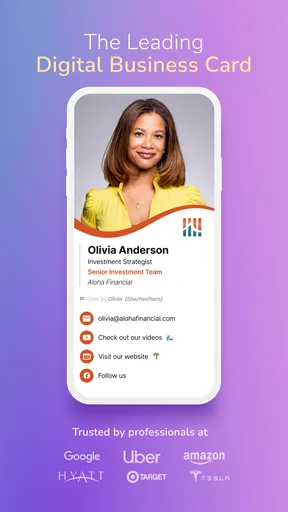
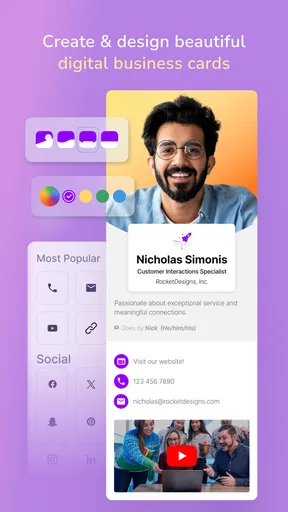
Customizing your business card is a breeze. HiHello lets you add all the essentials—name, job title, company, email, phone number, and more. But it doesn’t stop there. You can also include your social media profiles, website, and even a video intro. I mean, how cool is that? It’s like having a mini-website in a card!
One of the standout features is the option to design multiple cards. Whether you’re juggling multiple roles or just want a personal card separate from your professional one, HiHello's got you covered.
Sharing Made Simple
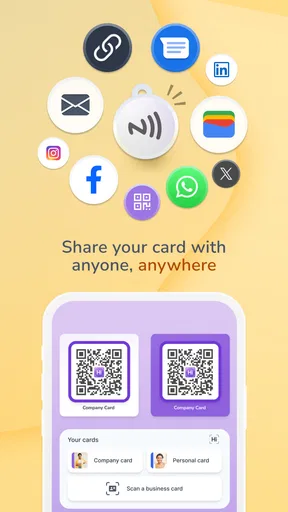
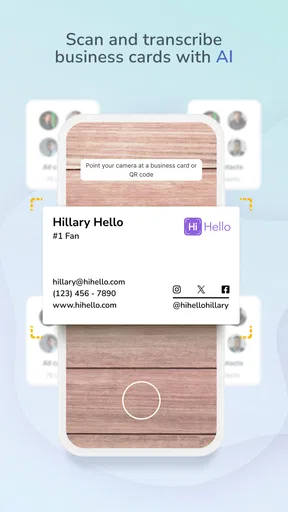
Now, onto the sharing part. You can share your card via email, text, QR code, or even a short link. And if you’re at an event or meeting in person, just have someone scan your QR code—it’s as simple as that. No more running out of cards or worrying about someone losing it. Plus, the app automatically saves the contact information of the people you connect with, so you’ll never miss a follow-up opportunity.
Integrations and Compatibility
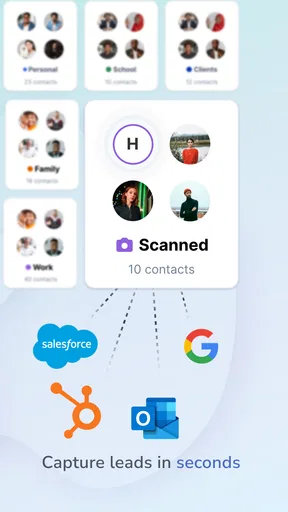
If you’re worried about compatibility, don’t be. HiHello integrates seamlessly with popular platforms like Google Contacts, Outlook, and more. It’s also available for both Android and iOS, making it accessible no matter what device you’re using.
The app also plays nice with CRM systems. This is perfect for sales professionals who need to keep track of leads and customer interactions. The ability to sync contacts directly into your CRM is a huge time-saver.
Additional Features Worth Mentioning
HiHello isn’t just about creating and sharing cards. It also offers a digital address book, which is like your personal digital Rolodex. This feature allows you to keep track of all your connections in one place, and it’s searchable, which is super handy.
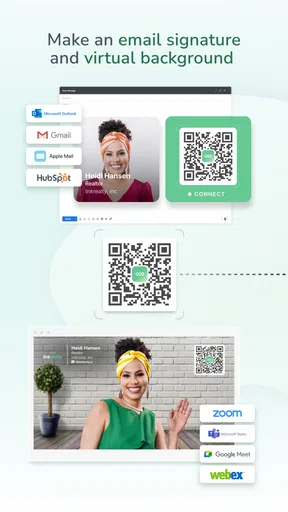
The app is also constantly updating with new features. The developers seem to be listening to user feedback, which is always a good sign. There’s even talk of upcoming features like video conferencing integrations, which would definitely take networking to the next level.
Final Thoughts
In a world that’s moving increasingly digital, HiHello: Digital Business Card feels like a no-brainer for anyone serious about networking. It’s efficient, eco-friendly, and incredibly versatile. Whether you’re a freelancer, an entrepreneur, or someone who just likes to make connections, this app is definitely worth checking out.
So, if you’re still carrying around a stack of paper cards, it might be time to make the switch. Your pockets will be lighter, and your networking game will be stronger than ever!
Verdict
Strengths of HiHello: Digital Business Card
- Easy to customize digital cards.
- Supports multiple contact sharing formats.
- Integrates with CRM tools seamlessly.
- Offers contactless sharing via QR codes.
- Environmentally friendly alternative.
Limitations of HiHello: Digital Business Card
- Limited offline functionality.
- Premium features require subscription.
- Occasional sync issues with contacts.
- UI can be overwhelming for new users.
- Limited templates in free version.
Similar Picks in This Category
View All
LinkedIn: Community & Network
LinkedIn3.8

Zoom Workplace
zoom.com4.1

Microsoft Teams
Microsoft Corporation4.6

Meta Business Suite
Meta Platforms, Inc.4.6

Webex Meetings
Cisco Systems, Inc.4.5

TeamViewer Remote Control
TeamViewer4.4
Frequently Asked Questions
What platforms does HiHello support?
HiHello is available on both Android and iOS platforms, making it accessible to a wide range of smartphone users. You can download it from the Google Play Store for Android devices or the Apple App Store for iOS devices. This ensures seamless integration with most modern smartphones.
How secure is my personal information in HiHello?
Security is a top priority for HiHello. The app employs encryption and secure servers to protect your personal information. Additionally, you have control over what information is shared on your digital business card, allowing you to customize privacy settings to suit your preferences.
Can I customize my digital business card in HiHello?
Yes, HiHello offers a variety of customization options. You can add your photo, logo, contact details, social media links, and even choose from different card designs. This flexibility allows you to create a professional and personalized card that reflects your brand or personal style.
Is there a cost associated with using HiHello?
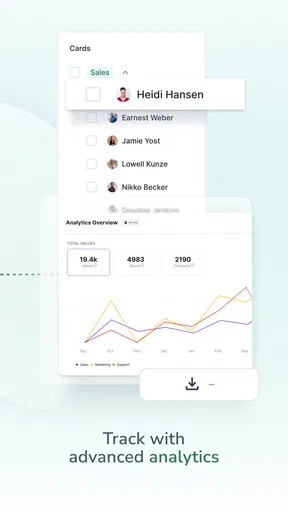
HiHello offers both free and paid subscription plans. The free version provides essential features for creating and sharing digital business cards. However, premium plans unlock additional features such as more card templates, advanced analytics, and CRM integrations, which are beneficial for business professionals.
How does HiHello facilitate contact sharing?
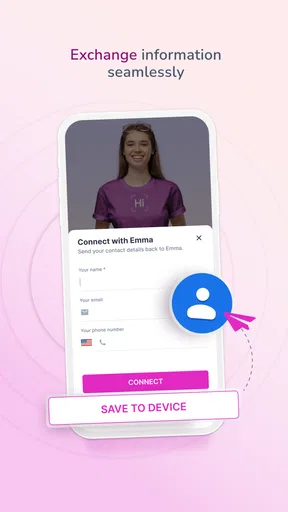
HiHello allows you to share your digital business card through various methods such as QR codes, email, text, or even through social media. This versatility ensures that you can easily connect with others, whether you're meeting in person or networking online.
